How to view your progress over time
See a chart of how many of your words are strong, and how many are weak, across your recent practice rounds.
Before you start
- You have Premium — the chart is a Premium feature. See How to upgrade to Premium.
- You've completed at least two practice rounds — see How to start and complete a practice round.
Steps
- Tap the Progress tab, or tap View progress on the Results screen.
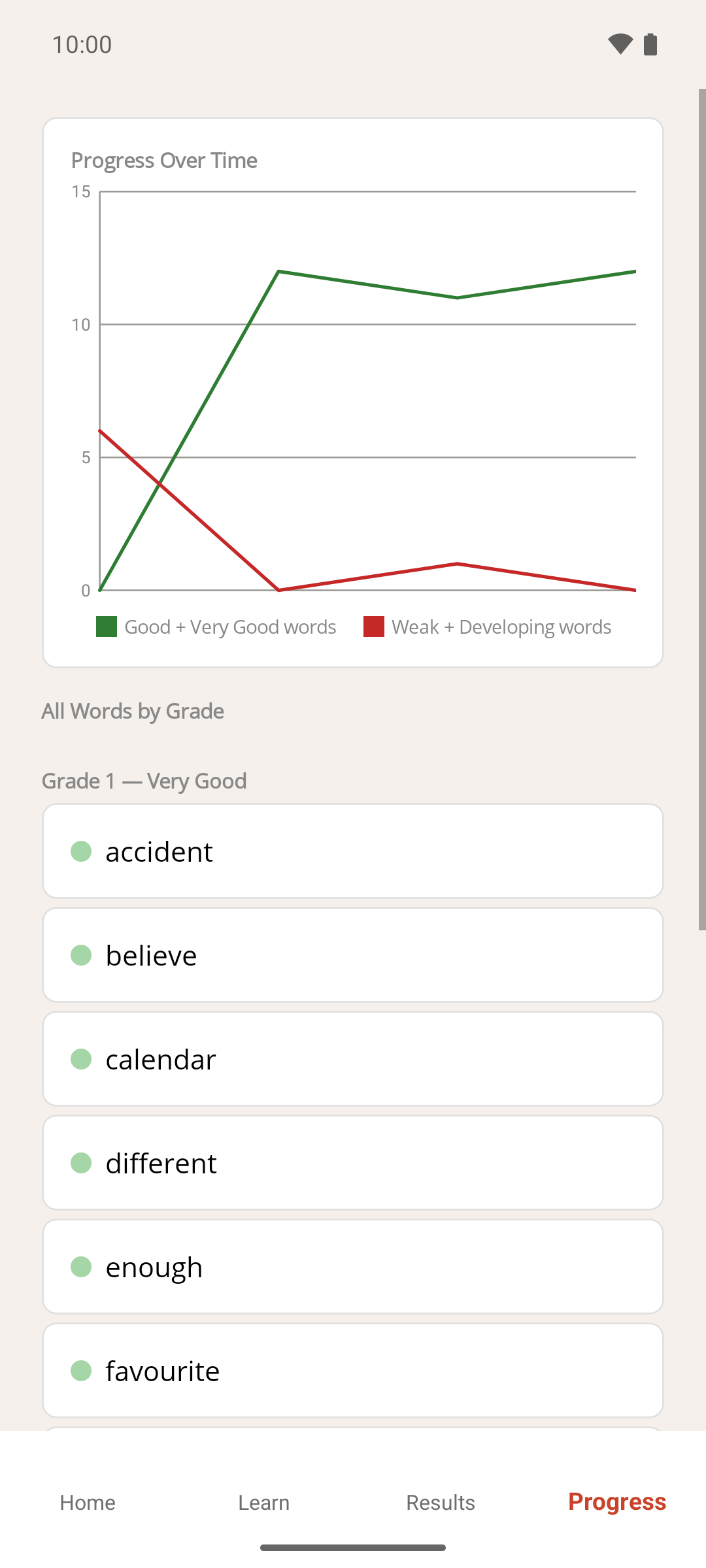
- Look at the Progress Over Time chart at the top of the screen.
Result
The chart has one point per completed round, oldest on the left, and two lines:
- Good + Very Good words (green) — how many of your words had a strong grade at the end of that round.
- Weak + Developing words (red) — how many had a weak grade.
As you practise, the green line should climb and the red line fall. Words you haven't been asked yet (Unseen) aren't counted on either line. The chart keeps up to your last 100 rounds.
Below the chart, All Words by Grade lists every word you're practising under its current grade, with a coloured dot for each grade — see Progress grades.
If something goes wrong
- A message says to complete at least two rounds. The chart needs two completed rounds before there's anything to draw. Finish another round and come back.
- I see an upgrade message instead of a chart. Progress over time is a Premium feature. Tap Upgrade to Premium, or see How to upgrade to Premium. The All Words by Grade list below still works on the free version.
- Progress says a learning round must be completed first. There's no completed round to show. Tap Go Home and start one.
- The chart has fewer points than rounds I've played. Rounds you left before the clock ran out aren't counted, and resetting your progress clears the chart — see How to reset your progress.