How to turn on practice reminders
Get a notification when it's time to practise, so words don't fade between sessions.
Before you start
- You have Premium. Practice reminders are a Premium feature — see How to upgrade to Premium.
- At least one of your own word groups is switched on, with 10 or more words in it. Reminders are worked out from your own word groups, not from built-in ones.
Steps
- On the Home screen, tap Settings.
- Check that the Practice reminders switch is on. It's on by default, so you may not need to change anything.
- If your device asks whether MemoLeap Spelling can send notifications, allow it.
- Complete a practice round. The first reminder is scheduled when a round finishes.
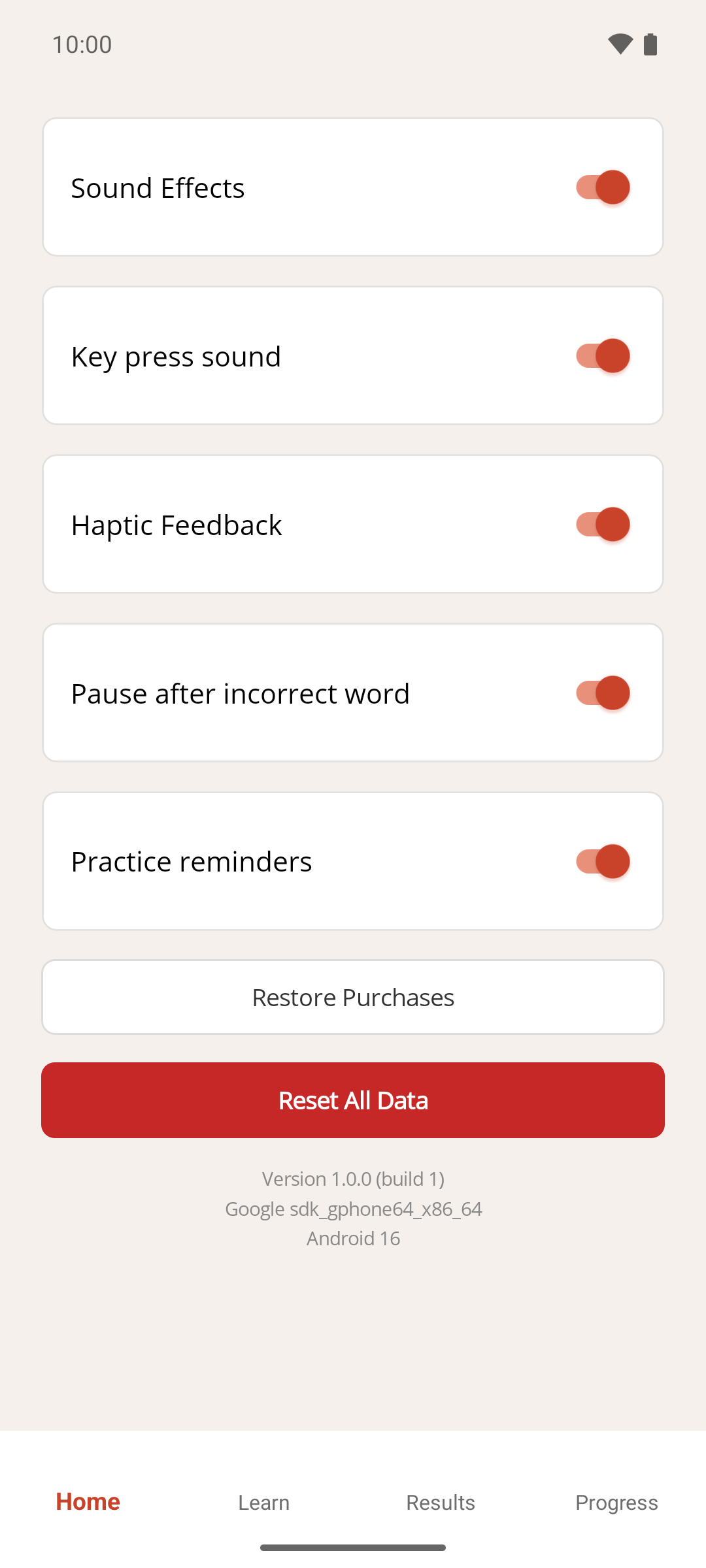
Result
MemoLeap Spelling schedules one notification, titled "MemoLeap Spelling", for when your words are next due for practice. While you're still learning new words that's about a day later; once every word is strong, the gap grows. See How practice reminders are scheduled.
A line at the bottom of the Home screen tells you where you stand: "Practising daily — keep it up." while you're learning, or "All words strong. Next review …" with when the next reminder is due.
If something goes wrong
- The switch is greyed out and says "Premium feature". Practice reminders need Premium — see How to upgrade to Premium.
- I turned it on but no reminder ever arrives. See How to fix reminders that aren't arriving.
- I want to stop the reminders. Turn Practice reminders off. Any pending notification is cancelled straight away. Your schedule is kept, so turning the switch back on later picks up where it left off.