How to record a custom pronunciation for a word
Record your own voice saying a word, so MemoLeap Spelling plays your recording instead of its usual pronunciation.
Before you start
- You have the MemoLeap Spelling app open.
- You're somewhere quiet enough to record clearly.
Steps
- On the Home screen, tap Define Words.
- Tap Open on the word group that contains the word. This works for your own word groups and for built-in word groups.
- Find the word and tap the record button, marked ●, at the right of its row.
- The first time, your device asks whether MemoLeap Spelling can use the microphone. Allow it.
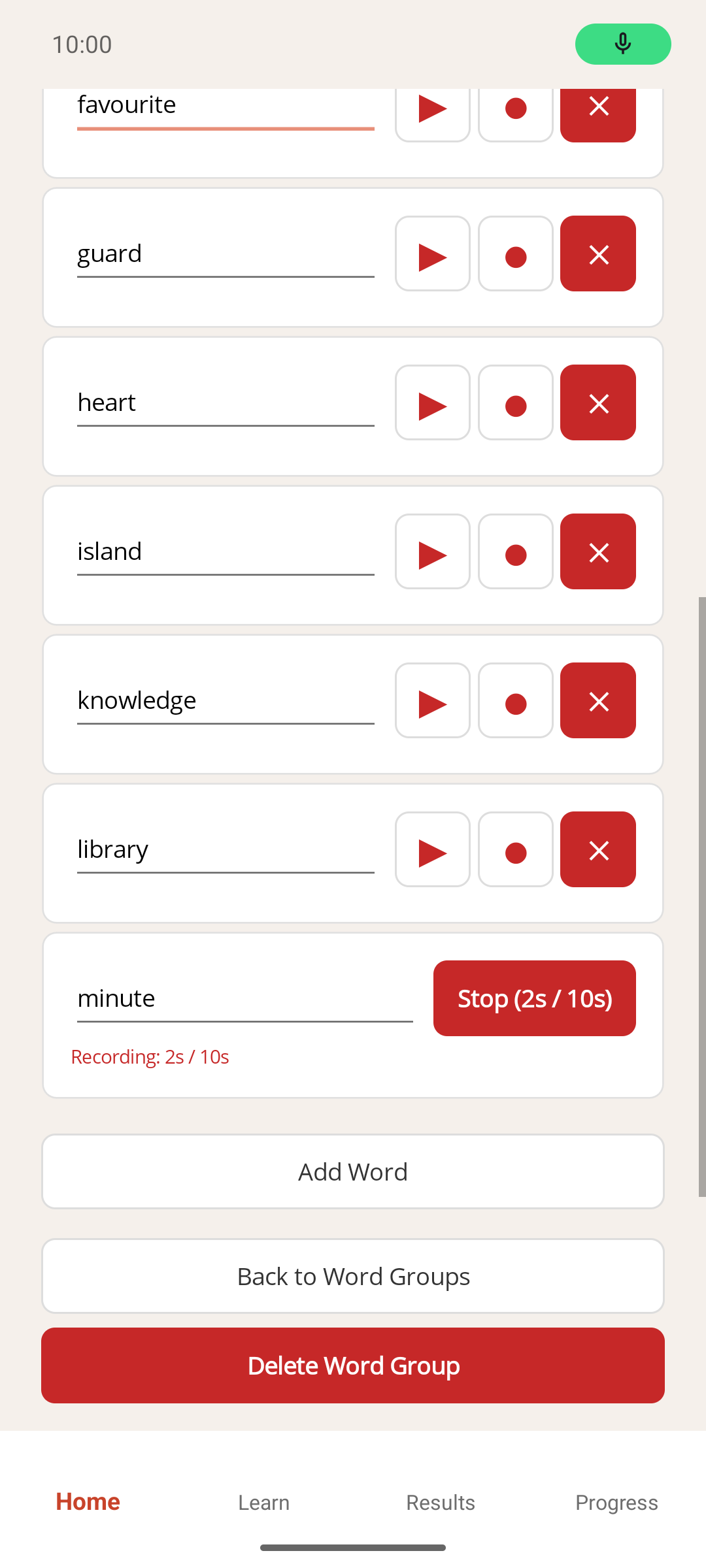
- Say the word clearly. A Stop button shows how many seconds have been recorded out of 10.
- Tap Stop when you've finished. If you don't, recording stops by itself after 10 seconds.
Result
"Custom recording saved" appears under the word, with a Del. rec. button next to it. From now on, your recording is what plays for that word: during practice, and when you tap the play button, marked ▶, on its row.
If something goes wrong
- A "Permission denied" message appears. You turned down microphone access. Open your device's own Settings app, find MemoLeap Spelling, allow the microphone, then come back and try again. The app doesn't open your device settings for you.
- I want to record it again. Tap ● again and record as before. The button looks the same whether or not a recording exists, so check for the "Custom recording saved" line to know which is the case. The new recording replaces the old one.
- I want to go back to the app's usual pronunciation. Tap Del. rec., then tap Yes when asked whether to remove the recording.
- Nothing was saved. If the recording was empty, for example because you tapped Stop immediately, no recording is kept and the row stays as it was.
Note
Recordings are stored only on this device. They're deleted along with the word or word group if you delete either of those, and by resetting all app data.