How to add and edit words in a word group
Add words to one of your word groups, correct a word you've already added, or remove one.
Before you start
- You have the MemoLeap Spelling app open.
- You have a word group you created — see How to create a word group.
Steps
Add a word
- On the Home screen, tap Define Words.
- Tap Open on the word group you want to add to.
- Scroll to the bottom of the word list and tap Add Word.
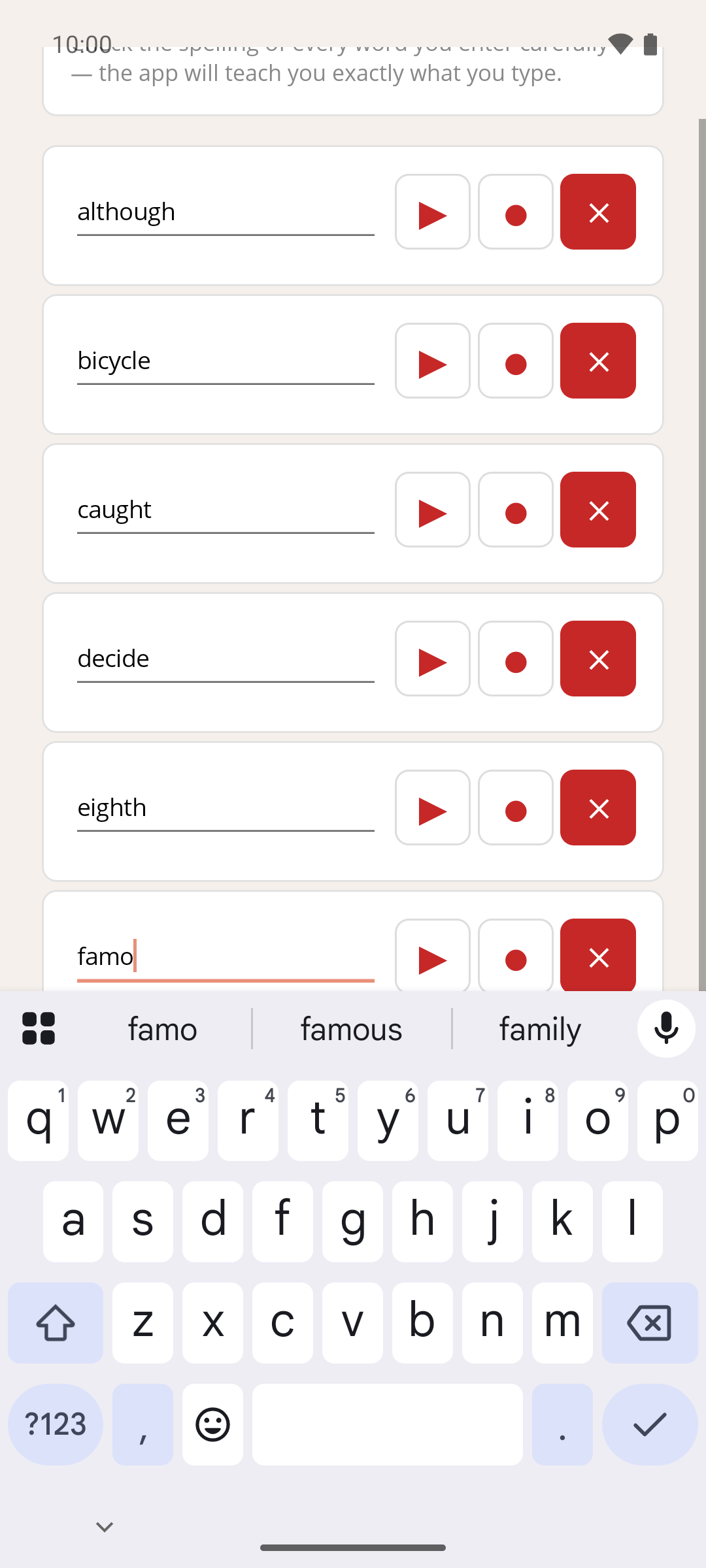
- A new empty row appears, with your device's keyboard showing. Type the word.
- Tap elsewhere on the screen, or press Done on your keyboard, to save it.
Note
A reminder at the top of the word list says to check the spelling of every word you enter carefully. MemoLeap Spelling teaches exactly what you type, so a misspelt word is practised misspelt.
Edit a word
- Open the word group as above.
- Tap the word's text and change it.
- Tap elsewhere on the screen, or press Done on your keyboard, to save your change.
Remove a word
- Open the word group as above.
- Tap the ✕ button at the right of the word's row. The word is removed immediately, without a confirmation.
Result
Your changes are saved straight away and used the next time you practise this word group. Tap Back to Word Groups to return to the Define Words screen.
If something goes wrong
- The Add Word button has gone. You've reached the limit for this word group. The free version allows up to 20 words per group, and an Upgrade to Premium button appears in place of Add Word — see How to upgrade to Premium. Premium allows up to 50 words per group.
- A word I typed wasn't kept. A word must be at least 2 characters long and can only contain letters, apostrophes, hyphens and single spaces between words. Text that doesn't meet this is not saved: a new row is left empty or removed, and an edited word goes back to what it was before. Shortening an existing word to a single character removes it.
- I don't see an Add Word button, and I can't edit the words. This is a built-in word group. Its words are fixed and can't be added to, changed or removed, although you can record your own pronunciation for any of them — see How to record a custom pronunciation for a word.
- Will editing a word wipe its progress? No. A word's grade stays with it when you change its text. If a word is removed, its progress goes with it.