How to delete a word group
Permanently remove one of your own word groups.
Before you start
- You have the MemoLeap Spelling app open.
- You have at least one word group you created — see How to create a word group.
Warning
Deleting a word group also deletes every word in it, all scores and progress for those words, and any custom pronunciations you recorded for them. This cannot be undone.
Steps
- On the Home screen, tap Define Words.
- Tap Open on the word group you want to delete.
- Scroll to the bottom of the word list and tap Delete Word Group.
- A confirmation asks whether you're sure. Tap Yes.
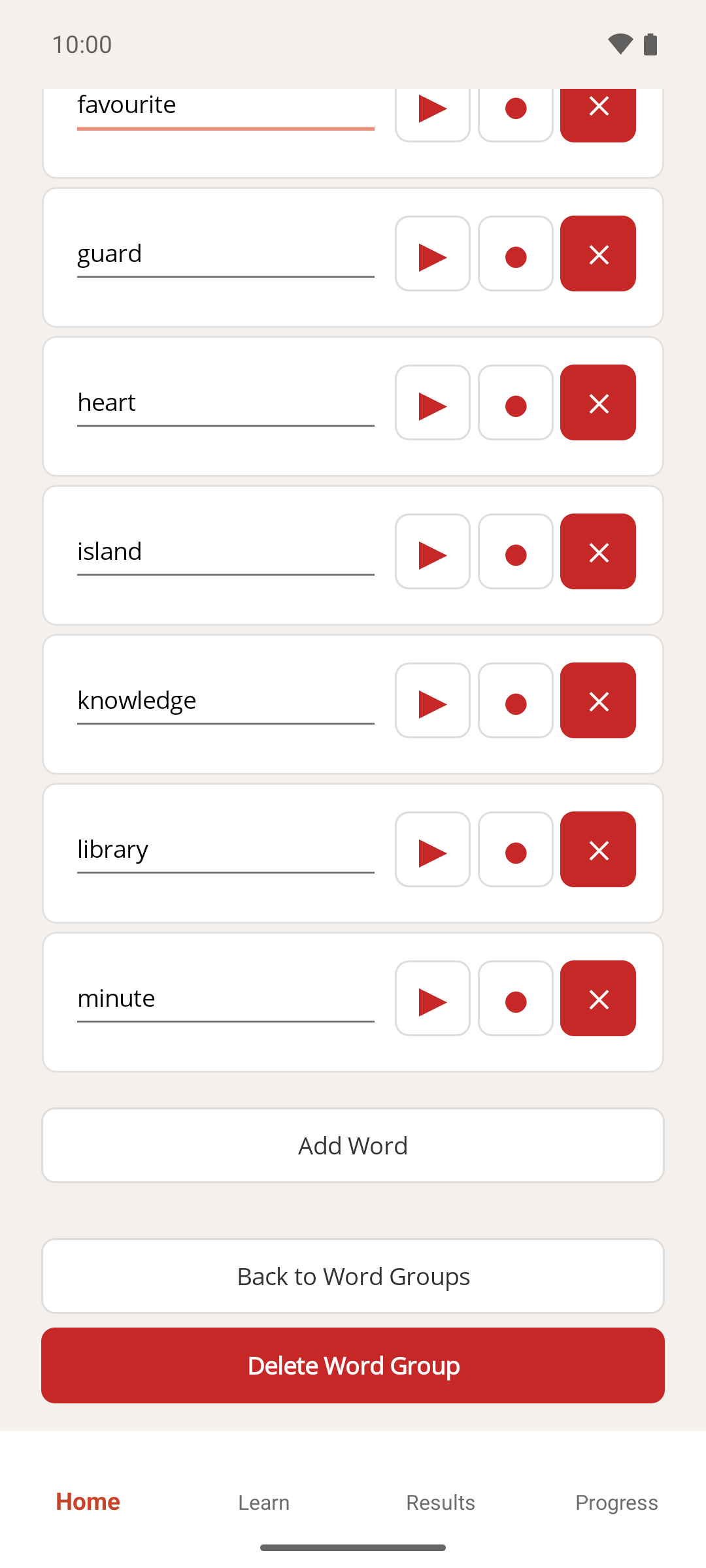
Result
The word group, its words, its recordings and its progress are removed, and you're returned to the Define Words screen.
If something goes wrong
- I don't see a Delete Word Group button. Built-in word groups can't be deleted. You can only delete word groups you created yourself. To stop using a built-in group, untick its checkbox instead — see How to choose which word groups you practise.
- I only wanted to remove one word. See How to add and edit words in a word group instead.