How to reset all app data
Erase everything you've created in MemoLeap Spelling and start again as if newly installed.
Before you start
- You have the MemoLeap Spelling app open.
Warning
This permanently deletes all your word groups, words, custom recordings, results and progress. Built-in word groups go back to their as-installed state, with their progress and recordings cleared. This cannot be undone, and MemoLeap Spelling has no way to back up your data first. Your settings and your Premium purchase are kept.
Steps
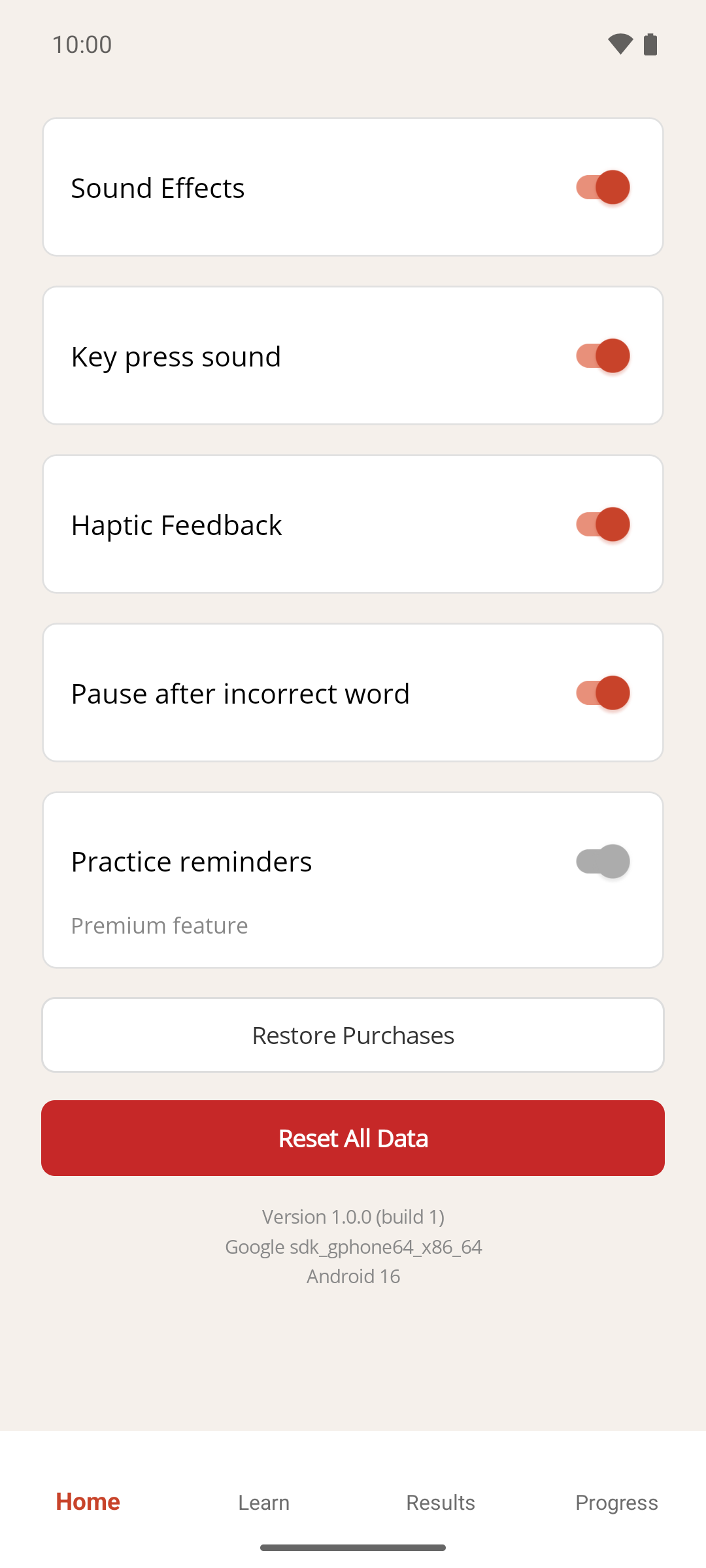
- On the Home screen, tap Settings.
- Tap Reset All Data.
- A confirmation lists what will be deleted and asks whether you're sure. Tap Yes.
Result
The app returns you to the Home screen. Your own word groups are gone, and the first free built-in word group is switched on again, so Start learning still works.
If something goes wrong
- I only wanted to clear my grades, not my word groups. See How to reset your progress instead.
- I only wanted to remove one word group. See How to delete a word group instead.
- I tapped Reset All Data by mistake. Tap No on the confirmation. Nothing is deleted until you tap Yes.