How to get help from support
Copy your app and device details so you can include them when you contact support.
Before you start
- You have the MemoLeap Spelling app open.
Steps
- On the Home screen, tap Settings.
- Scroll to the bottom. Under the Reset All Data button are three small lines of support information: your app version and build number, your device's make and model, and your operating system and its version.
- Tap those lines.
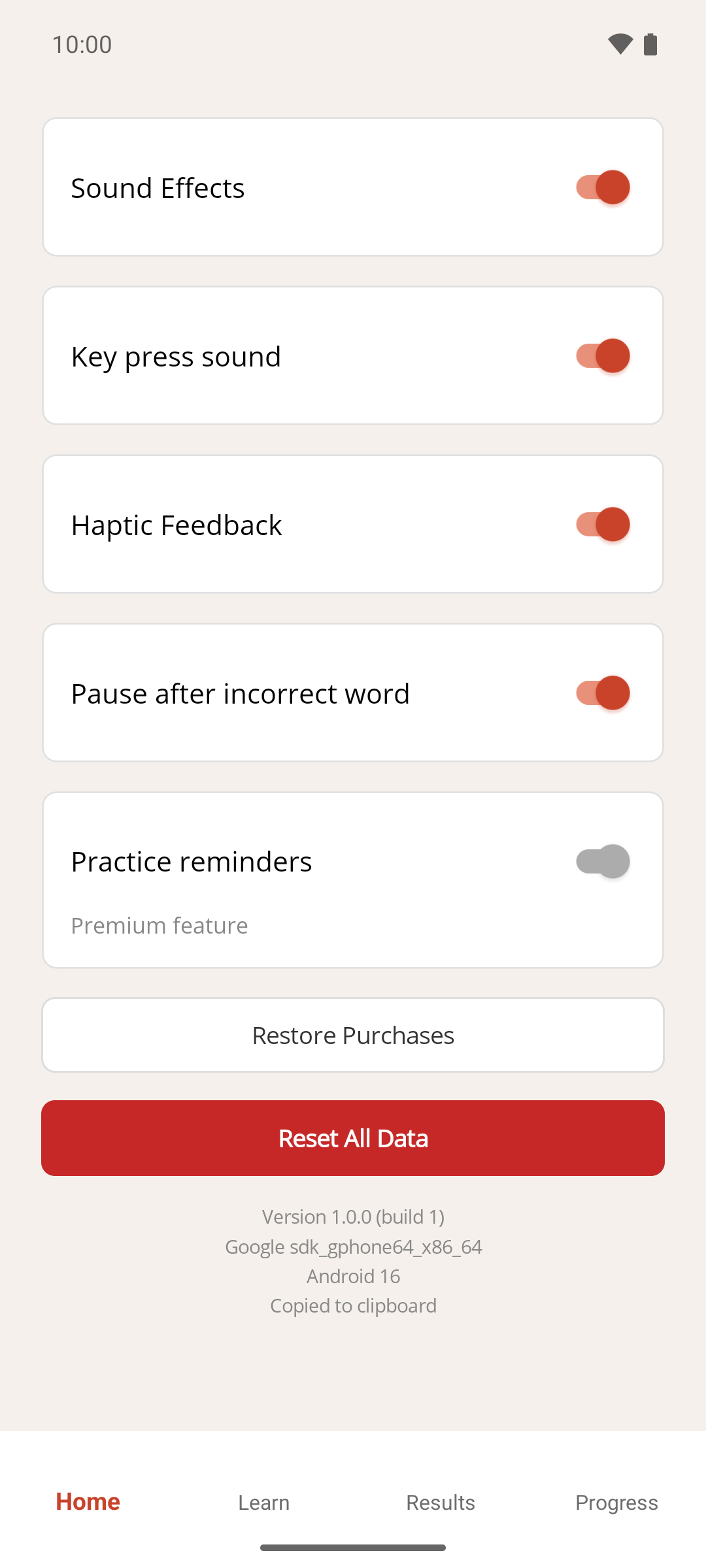
Result
"Copied to clipboard" appears under the lines for a couple of seconds. The three details are now on your clipboard, one per line. Paste them into your message when you contact support, so we have what we need without asking.
If something goes wrong
- Nothing seems to happen when I tap. The confirmation is small and only shows for two seconds. Try pasting into a message anyway. If nothing pastes, tap the lines again and watch for the confirmation.