How to create a word group
Create a new word group so you can add your own words to practise.
Before you start
- You have the MemoLeap Spelling app open.
Steps
- On the Home screen, tap Define Words.
- Tap the Add a group… field below Your word groups. When the screen opens, this field is usually already selected and your device's keyboard is showing.
- Type a name for your word group.
- Tap elsewhere on the screen, or press Done on your keyboard, to save it.
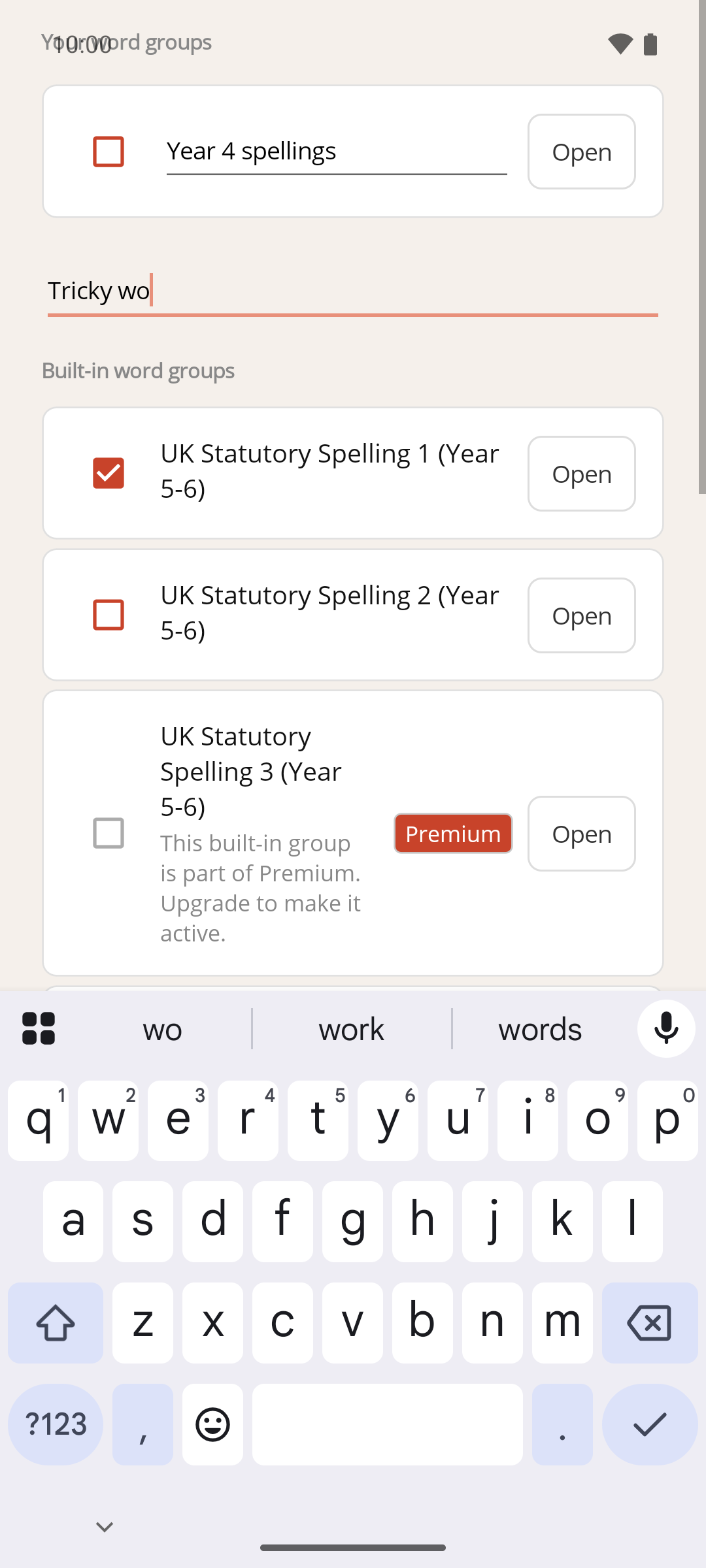
Result
Your new word group appears under Your word groups, listed alphabetically with any others, ready for you to add words to it. Word groups are kept until you delete them, on both the free and Premium versions.
Rename a word group
- On the Define Words screen, tap the name of the word group under Your word groups.
- Change the name.
- Tap elsewhere on the screen, or press Done on your keyboard, to save it.
If you clear the name completely, the old name comes back when you finish editing.
If something goes wrong
- The Add a group… field isn't there. The free version allows up to 2 word groups. If you've reached that limit, an Upgrade to Premium button appears in its place — see How to upgrade to Premium.
- My new group wasn't saved. A name made only of spaces isn't saved. Type at least one letter or number.